实战:智能文档问答 Agent
综合本章知识,构建一个可以回答关于任意文档集合问题的智能问答系统。
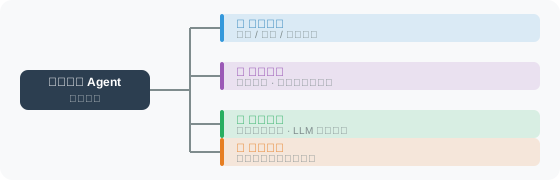
系统架构
完整实现
# doc_qa_agent.py
import os
import json
import uuid
import datetime
import chromadb
from pathlib import Path
from openai import OpenAI
from dotenv import load_dotenv
from typing import Optional, List
from rich.console import Console
from rich.panel import Panel
from rich.markdown import Markdown

load_dotenv()

client = OpenAI()
console = Console()


class DocumentQAAgent:
    """智能文档问答 Agent"""

    def __init__(self, name: str = "文档助手", persist_dir: str = "./qa_db"):
        self.name = name

        # 初始化向量库
        self.chroma = chromadb.PersistentClient(path=persist_dir)
        self.collection = self.chroma.get_or_create_collection(
            name="documents",
            metadata={"hnsw:space": "cosine"}
        )

        # 对话历史
        self.chat_history = []

        count = self.collection.count()
        console.print(f"[dim]{name} 已启动,知识库包含 {count} 个文档片段[/dim]")

    # =====================
    # 文档管理
    # =====================

    def add_text(self, text: str, source: str = "manual", chunk_size: int = 400):
        """添加文本到知识库"""
        # 按字符数分割(兼容中文和英文)
        # 中文文本词语之间没有空格,按空格分词会导致整段文本无法分割
        chunks = []
        # 先按段落分割,尽量保持语义完整性
        paragraphs = text.split('\n\n')
        current_chunk = ""

        for para in paragraphs:
            para = para.strip()
            if not para:
                continue
            # 如果当前块加上新段落不超过 chunk_size,就合并
            if len(current_chunk) + len(para) + 1 <= chunk_size:
                current_chunk = current_chunk + "\n" + para if current_chunk else para
            else:
                # 保存当前块(如果有内容)
                if current_chunk:
                    chunks.append(current_chunk)
                # 如果单个段落超过 chunk_size,按句号/问号/感叹号分割
                if len(para) > chunk_size:
                    import re
                    sentences = re.split(r'(?<=[。!?.!?])', para)
                    current_chunk = ""
                    for sentence in sentences:
                        if not sentence.strip():
                            continue
                        if len(current_chunk) + len(sentence) <= chunk_size:
                            current_chunk += sentence
                        else:
                            if current_chunk:
                                chunks.append(current_chunk)
                            current_chunk = sentence
                else:
                    current_chunk = para

        if current_chunk:
            chunks.append(current_chunk)

        if not chunks:
            return

        # 批量嵌入
        embeddings_response = client.embeddings.create(
            input=chunks,
            model="text-embedding-3-small"
        )
        embeddings = [e.embedding for e in embeddings_response.data]

        # 存储
        ids = [str(uuid.uuid4()) for _ in chunks]
        self.collection.add(
            ids=ids,
            documents=chunks,
            embeddings=embeddings,
            metadatas=[{
                "source": source,
                "chunk_index": i,
                "added_at": datetime.datetime.now().isoformat()
            } for i in range(len(chunks))]
        )

        console.print(f"[green]✅ 已添加 {len(chunks)} 个片段(来源:{source})[/green]")

    def add_file(self, file_path: str):
        """从文件加载并添加到知识库"""
        path = Path(file_path)

        if not path.exists():
            console.print(f"[red]❌ 文件不存在:{file_path}[/red]")
            return

        try:
            with open(path, 'r', encoding='utf-8') as f:
                content = f.read()

            self.add_text(content, source=path.name)

        except Exception as e:
            console.print(f"[red]❌ 加载失败:{e}[/red]")

    def list_sources(self) -> List[str]:
        """列出知识库中的所有来源"""
        if self.collection.count() == 0:
            return []

        results = self.collection.get(include=["metadatas"])
        sources = list(set(
            m.get("source", "unknown")
            for m in results["metadatas"]
        ))
        return sources

    # =====================
    # 问答
    # =====================

    def _retrieve(self, query: str, n: int = 5) -> List[dict]:
        """检索相关文档"""
        if self.collection.count() == 0:
            return []

        response = client.embeddings.create(
            input=query.replace("\n", " "),
            model="text-embedding-3-small"
        )
        query_embedding = response.data[0].embedding

        results = self.collection.query(
            query_embeddings=[query_embedding],
            n_results=min(n, self.collection.count()),
            include=["documents", "metadatas", "distances"]
        )

        chunks = []
        if results["documents"] and results["documents"][0]:
            for doc, meta, dist in zip(
                results["documents"][0],
                results["metadatas"][0],
                results["distances"][0]
            ):
                relevance = 1 - dist
                if relevance > 0.3:
                    chunks.append({
                        "content": doc,
                        "source": meta.get("source", "未知"),
                        "relevance": round(relevance, 3)
                    })

        return chunks

    def ask(self, question: str) -> str:
        """向知识库提问"""

        # 检索相关文档
        chunks = self._retrieve(question)

        if not chunks:
            return "抱歉,我的知识库中没有找到与此问题相关的信息。请先添加相关文档。"

        # 构建上下文
        context_parts = []
        for i, chunk in enumerate(chunks[:3], 1):
            context_parts.append(
                f"【文档片段 {i}】(来源:{chunk['source']},相关度:{chunk['relevance']})\n"
                f"{chunk['content']}"
            )

        context = "\n\n".join(context_parts)

        # 构建消息(包含对话历史)
        messages = [
            {
                "role": "system",
                "content": f"""你是 {self.name},一个基于用户文档知识库的问答助手。

回答要求:
1. 只基于提供的参考文档回答
2. 如果参考文档中没有相关信息,明确说明
3. 引用具体来源(如"根据文档X...")
4. 回答简洁准确,避免编造信息

【参考文档】
{context}"""
            }
        ] + self.chat_history[-6:] + [  # 保留最近3轮对话
            {"role": "user", "content": question}
        ]

        response = client.chat.completions.create(
            model="gpt-4o",
            messages=messages,
            max_tokens=800
        )

        answer = response.choices[0].message.content

        # 更新对话历史
        self.chat_history.append({"role": "user", "content": question})
        self.chat_history.append({"role": "assistant", "content": answer})

        return answer


# ============================
# 主程序
# ============================

def main():
    agent = DocumentQAAgent("智能文档助手")

    # 添加示例知识库
    sample_docs = [
        ("Python 基础", """
Python 是一种高级编程语言,以简洁易读著称。Python 由 Guido van Rossum 于1991年创建。
Python 支持面向对象编程、函数式编程和过程式编程。
Python 的包管理工具是 pip,虚拟环境工具推荐使用 venv 或 conda。
"""),
        ("FastAPI 简介", """
FastAPI 是一个现代、高性能的 Python Web 框架。
FastAPI 基于 Python 3.7+ 的类型注解,自动生成 API 文档。
FastAPI 的性能接近 NodeJS 和 Go,是目前最快的 Python Web 框架之一。
使用 uvicorn 作为 ASGI 服务器,命令:uvicorn main:app --reload
"""),
        ("LangChain 介绍", """
LangChain 是一个用于构建 LLM 应用的开源框架。
LangChain 提供:Chain(处理管道)、Agent(智能体)、Memory(记忆)、RAG 等组件。
LangChain 支持 OpenAI、Anthropic、本地模型等多种 LLM 提供商。
最新版本 LangChain 0.3 采用 LCEL(LangChain Expression Language)作为标准链构建方式。
"""),
    ]

    for title, content in sample_docs:
        agent.add_text(content, source=title)

    console.print(Panel(
        f"[bold]📚 {agent.name} 已就绪[/bold]\n"
        f"知识库包含 {len(sample_docs)} 个主题\n\n"
        "命令:\n"
        "  sources → 查看知识库来源\n"
        "  add <文件路径> → 添加文件\n"
        "  quit → 退出",
        title="系统启动",
        border_style="blue"
    ))

    while True:
        user_input = input("\n❓ 你的问题:").strip()

        if not user_input:
            continue

        if user_input.lower() == "quit":
            break

        if user_input.lower() == "sources":
            sources = agent.list_sources()
            console.print(f"[cyan]知识库来源({len(sources)}个):[/cyan]")
            for s in sources:
                console.print(f"  • {s}")
            continue

        if user_input.lower().startswith("add "):
            file_path = user_input[4:].strip()
            agent.add_file(file_path)
            continue

        # 回答问题
        answer = agent.ask(user_input)
        console.print(f"\n[bold green]📖 回答:[/bold green]")
        console.print(Markdown(answer))


if __name__ == "__main__":
    main()
示例对话
❓ 你的问题:FastAPI 用什么服务器?

📖 回答:
根据文档"FastAPI 简介",FastAPI 使用 **uvicorn** 作为 ASGI 服务器。

启动命令为:
```bash
uvicorn main:app --reload
❓ 你的问题:LangChain 和 FastAPI 有什么关系?
📖 回答: 根据文档中的信息:
- LangChain 是用于构建 LLM 应用的框架,提供 Agent、RAG 等 AI 组件
- FastAPI 是高性能 Python Web 框架,用于构建 API 服务
两者可以结合使用:用 LangChain 构建 AI 逻辑,用 FastAPI 将其暴露为 API 接口。 但文档中没有直接描述两者的集成方式,建议查阅相关教程。
---

## 本章小结

本章从零构建了完整的 RAG 系统:

| 阶段 | 技术要点 |
|------|---------|
| 文档加载 | 多格式支持(PDF/Word/网页/文本) |
| 文本分割 | 按语义/标题/Token 分割,设置重叠 |
| 向量嵌入 | OpenAI/本地模型,批量处理 |
| 向量存储 | ChromaDB 持久化存储 |
| 检索策略 | 混合检索、重排序、查询扩展 |
| 答案生成 | 上下文注入 + 来源引用 |

---

*下一章:[第8章 上下文工程](../chapter_context_engineering/README.md)*